
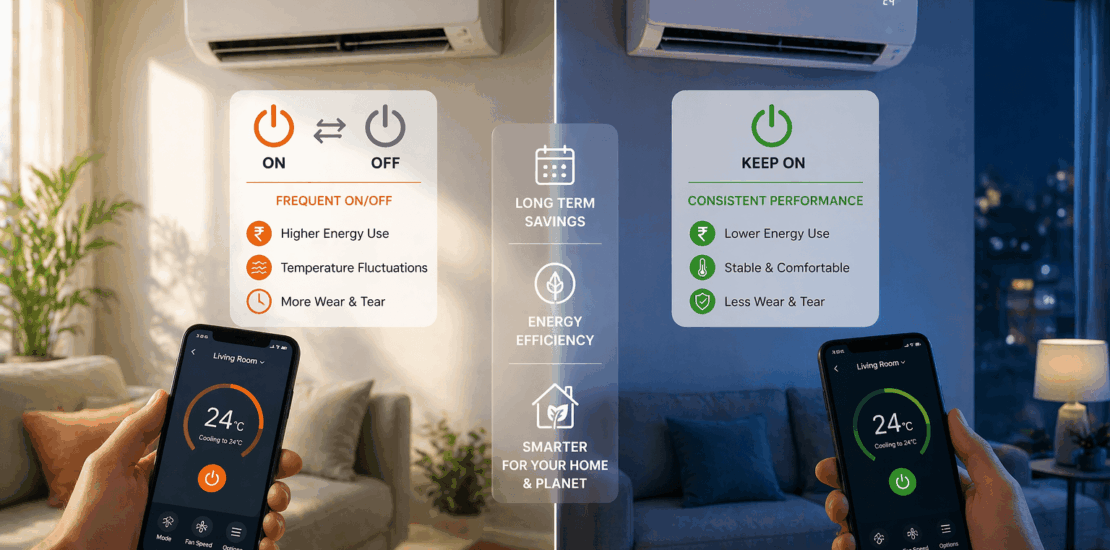
Turning ac on and off vs leaving it on
Should You Turn Your AC On and Off, or Leave It Running?
Short answer: it depends on how long you’ll be gone. For anything under about 2-3 hours, leave the system running with the temperature raised a few degrees rather than shutting it off completely — the energy needed to re-cool a home that’s heated back up often outweighs what you’d save by stopping. For longer absences (a full workday, an overnight trip), turning it off or setting back significantly saves more than the “catch-up” cost when you return.
Turning it fully on and off frequently — multiple times an hour, or every time you leave a room — is a different situation and genuinely not a good idea: it increases wear on the compressor (which draws the most power and stress at startup, every single time it kicks on) and doesn’t meaningfully save energy compared to a smarter setback strategy.
Why It’s Not a Simple Either/Or
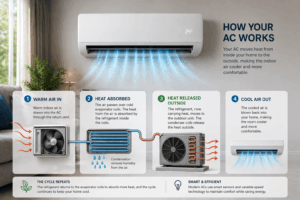
The case for turning it off when you’re out: no cooling means no energy use for that stretch, straightforwardly. The tradeoff is the “catch-up” cost — cooling a home that’s warmed back up to outdoor temperature takes more sustained running than maintaining a already-cool one, since the AC has to remove more accumulated heat all at once.
The case for leaving it running: a system maintaining a steady temperature runs in short, efficient cycles rather than one long push to recover from a hot house. Running continuously is safe for modern systems, too — see our guide on how long an AC can run continuously, so leaving it on isn’t putting the unit at risk on its own. It also avoids humidity creeping back into the space while you’re away, which the AC would otherwise have to remove again on restart. And it protects anything sensitive to temperature swings — certain electronics, instruments, some furniture finishes.
The actual rule of thumb: the break-even point is usually a few hours. Away for the workday or overnight — turning off (or a significant thermostat setback, commonly 5-8 degrees) typically wins. Running errands for an hour — leaving it on with a modest setback usually costs less than the recovery surge would.
What Frequent On/Off Cycling Actually Costs You
This is different from the away/home decision above — this is about switching the system on and off repeatedly in short succession, which is worth avoiding regardless of your energy strategy:
- Compressor wear: Every startup draws a burst of power and physical stress that running steadily doesn’t. Repeated starts age the compressor faster than the same total runtime spread across fewer, longer cycles.
- No real energy savings: Because startup draws more power than steady running, cycling frequently can use more electricity than running longer, less frequent cycles would for the same total cooling.
- Inconsistent comfort: Temperature swings between “too warm” and “too cold” rather than holding steady, and humidity control suffers since the system needs sustained runtime to actually dehumidify effectively.
If your system is cycling on and off every few minutes on its own — not because you’re manually switching it — that’s short cycling, a malfunction rather than a usage choice, usually caused by an oversized unit, a thermostat placement issue, or low refrigerant. That’s a different problem with a different fix, covered in our short cycling guide — worth checking if this sounds like what you’re experiencing rather than the on/off decision covered here. If your AC won’t shut off even after reaching the set temperature, that’s a different issue — see our guide on AC running past the set temperature.
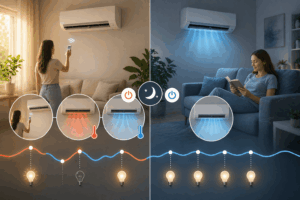
A Practical Strategy
- Away under 2-3 hours: leave it running, raise the thermostat 3-5 degrees.
- Away longer (workday, trip): turn it off, or set back 5-8+ degrees. If your system struggles to catch up after a long setback, that’s worth checking separately — see our guide on an AC that can’t keep up. if you have a programmable or smart thermostat that can pre-cool before you’re back.
- Never manually cycle it on and off repeatedly within a short window — pick a setting and let the system manage its own cycling from there. That’s what the thermostat is for.
- Use a programmable or smart thermostat if you can — it removes the manual guesswork entirely by automating the setback/recovery schedule based on when you’re actually home.

What Actually Determines Efficiency Either Way
Regardless of which strategy you use, these matter more to your energy bill than the on/off decision itself:
- Regular maintenance: a dirty filter or coil makes the system work harder under either strategy, adding cost that has nothing to do with your on/off habits.
- Correct unit sizing: an oversized or undersized system is inefficient no matter how you operate it — sizing problems and usage-strategy problems are separate issues.
- Home insulation and sealing: a poorly sealed home loses cooled air regardless of your thermostat strategy, which is often a bigger lever than the on/off question people focus on.
Also Read: Optimal Winter Thermostat Settings for Comfort

The Bottom Line
For short absences, leave it running with a modest setback. For longer ones, turn it off or set back significantly. Avoid manually flipping the system on and off in quick succession regardless of how long you’re gone — that’s the pattern that actually costs you in wear and, often, energy. A programmable thermostat makes this decision automatically and is worth the investment if you find yourself guessing at this every time you leave the house. If your AC still isn’t keeping up regardless of your on/off strategy, this guide on a struggling AC covers the other common causes.