
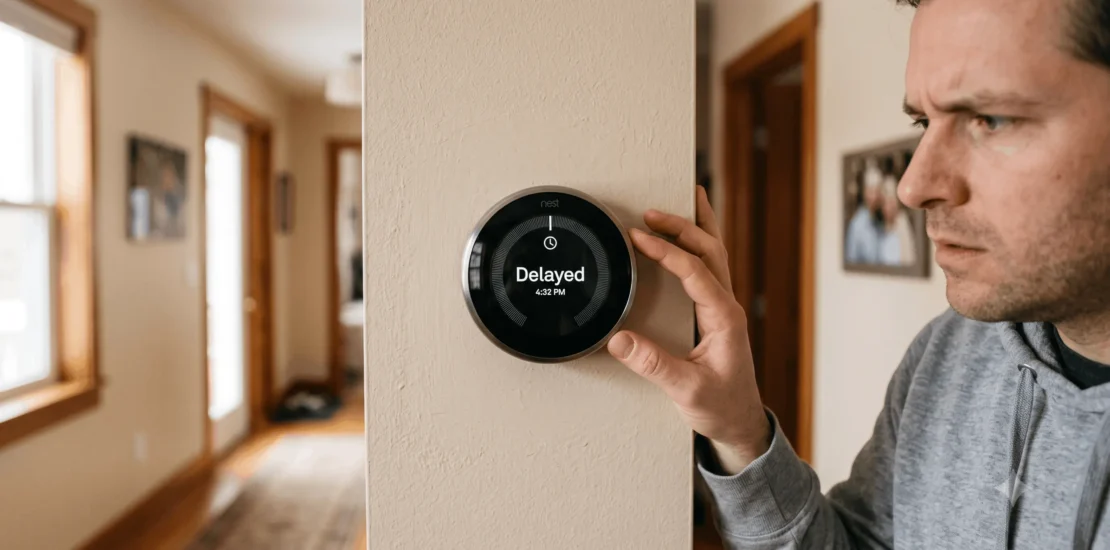
Why Does My Nest Thermostat Say “Delayed”?
When a Nest thermostat says “Delayed,” it means the thermostat doesn’t currently have enough power stored to safely turn on your heating or cooling system — it’s not a problem with your furnace or AC, and it’s not the same as the normal few-minute compressor restart delay other thermostats show. This is specific to how Nest gets its power.
Why This Happens: Power Stealing, Explained
Most modern thermostats, including Nest, run on low-voltage power from your HVAC system’s wiring. Ideally, that includes a dedicated C-wire (common wire), which provides continuous power. Nest also has a small internal rechargeable battery as a backup.
If your system doesn’t have a C-wire connected — common in older HVAC setups — Nest uses a workaround called power stealing: it draws tiny amounts of current from the wires that are connected (Rh/Rc, Y, W) while the system is idle, using that trickle to keep its battery topped off. This works fine most of the time, but it has a real limitation: Nest can’t draw power to charge its battery at the same time it’s actively signaling your system to run. If the battery drops too low before a call for heat or cooling, Nest delays that call — sometimes for several minutes to over an hour — until it’s recharged enough to make the call safely without risking a shutdown mid-cycle.
What drains the battery faster than power stealing can keep up with:
- Extended periods away from the schedule (vacation mode, long absences) where the system runs less and the battery gets less opportunity to trickle-charge
- Extreme weather driving longer, more frequent heating or cooling cycles, which demands more from the thermostat’s signaling more often
- Weak Wi-Fi forcing frequent reconnection attempts, which draws more power than a stable connection
- A furnace or AC system with electronic ignition that doesn’t provide enough idle current for power stealing to work well in the first place
The Real Fix vs. the Temporary One
Temporary fix (gets you through today): remove the Nest display from its base, connect it to a USB-C charger or your computer for about an hour, then reattach it. This directly charges the battery instead of relying on power stealing, and should clear the “Delayed” message once it’s sufficiently charged.
The actual fix (stops it from recurring): get a C-wire connected. This is the difference between treating the symptom repeatedly and fixing the cause.
| Option | What it involves | DIY or pro? |
| Use an existing spare wire | Many systems already have an unused wire in the wall bundle that can be repurposed as a C-wire | DIY-possible if you’re comfortable with low-voltage wiring, or a quick job for a technician |
| Install a “add-a-wire” adapter | Uses your existing 4 wires plus the adapter to create a 5th (C-wire) connection between the thermostat and the furnace/air handler | Usually a technician job — involves wiring at both ends |
| Nest Power Connector accessory | Google’s own accessory for systems that can’t otherwise support a C-wire (common on some heat-only or heat-pump systems) | Can be DIY depending on your system, check compatibility first |
| Full rewiring | For genuinely incompatible systems | Technician required |
If you’re not sure which applies to your system, a technician can identify it in a few minutes by looking at your existing thermostat wiring — this isn’t a diagnosis that requires guesswork once someone’s looking at the actual wires.
Also Read: How to reset digital thermostat
How This Is Different From a Normal Thermostat Delay
It’s worth knowing the difference, since they look similar but mean different things:
- Nest’s “Delayed” message: a power/battery issue specific to Nest’s power-stealing design. Fixed by charging the unit or, permanently, by adding a C-wire.
- A flashing “Cool On” or similar delay on other thermostats: usually a built-in compressor protection delay (typically 3-5 minutes) that prevents the system from restarting too soon after shutting off, protecting the compressor from short-cycling damage. This is normal and unrelated to thermostat power.
If your Nest is showing “Delayed” repeatedly, it’s the power issue above — not a sign your AC or furnace itself is protecting its compressor.
Preventing It Going Forward
- Get a C-wire installed — this single change resolves the root cause for the vast majority of cases
- Keep your home Wi-Fi signal strong at the thermostat’s location, or consider a Wi-Fi extender if the thermostat is far from your router
- If you’re consistently away for extended periods, expect “Delayed” to show up more during that time even with a C-wire, since the system runs less overall — this isn’t a fault, just less charging opportunity
Also Read: Why is cool on flashing on my thermostat
When to Call a Professional
- You’re not comfortable identifying or working with your thermostat’s low-voltage wiring
- The “Delayed” message persists even after a full charge via USB
- Your system doesn’t have a spare wire available and needs an add-a-wire adapter or fuller rewiring
- You want to confirm your specific HVAC system is fully compatible with Nest before doing any wiring changes yourself

Also Read: Thermostat clicks but no ac