
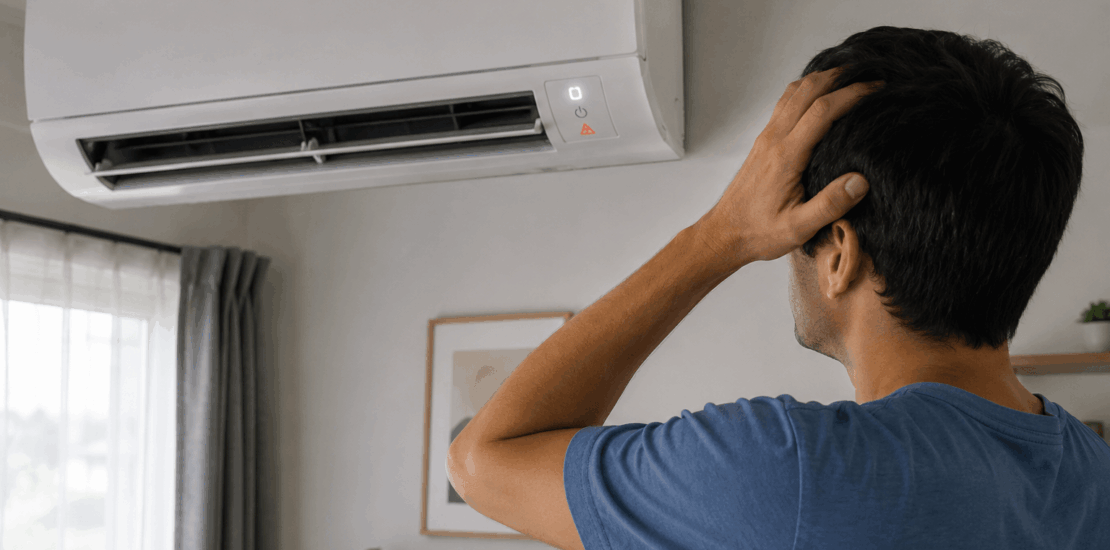
Ac unit not working after power outage
Ac unit not working after power outage
Experiencing an AC unit not working after a power outage can be frustrating. Power outages can disrupt your home’s comfort. They often leave your AC unit unresponsive.
Understanding why this happens is crucial. Power surges during outages can trip circuit breakers. This affects the functionality of your AC unit.
Resetting the system is often the first step. But there are other factors to consider. Thermostat settings, outdoor unit conditions, and electrical connections all play a role.
This guide will help you troubleshoot these issues. It provides a step-by-step approach to get your AC running again.
Whether it’s a Trane or another brand, these tips apply. Let’s explore how to restore your AC’s performance after a power outage.
Common Reasons Your AC Unit Stops Working After a Power Outage
Power surges during outages are a common cause of AC failure. They often result in tripped circuit breakers. These surges can also affect other components.
Another issue might be thermostat missettings. After a power cut, your thermostat could lose its programming. It’s essential to double-check these settings.
Damage to outdoor units can also occur. Debris may accumulate or components might sustain damage. This disrupts the AC’s normal operation and cooling efficiency.
Other common issues include a capacitor or fuse failure. Here’s a quick list:
- Circuit breaker trips
- Incorrect thermostat settings
- Outdoor unit damage
- Failed capacitors or blown fuses
Understanding these problems is the first step. Addressing them can restore your AC’s function quickly. Always start with a checklist when troubleshooting issues after a power outage.
Step-by-Step Troubleshooting Guide
To get your AC unit up and running again, start by checking the circuit breaker. Locate the electrical panel and look for any tripped switches. Flip the breaker to the “off” position and then back to “on”.
Next, inspect the thermostat settings. Ensure it is set to “cool” and the temperature is lower than the current room temperature. If the thermostat display is blank, it may need new batteries.
Move on to the outdoor unit. Check for visible damage or debris. Clear any leaves, branches, or other blockages. Ensure the unit has ample clearance for airflow.
After clearing debris, check the fuses in the disconnect box. Use a multimeter to test for continuity. Replace any blown fuses with new ones to restore functionality.
Now, listen for unusual sounds from the AC unit. Grinding or clicking noises could indicate mechanical issues. If unusual sounds persist, consult a professional HVAC technician.
For units not blowing cold air, examine the air filter. Dust and dirt can clog the filter, reducing efficiency. Replace the filter if it appears dirty or clogged.
Also, inspect the condensate drain line for clogs. A blocked line can cause the AC unit to shut down. Use a wet/dry vacuum to clear the line if necessary.
Lastly, check the control panel for error codes. Refer to the user manual for specific troubleshooting guidance. Address any displayed errors according to the manufacturer’s instructions.
Following these steps can resolve many common issues. Here’s a quick list to recap:
- Check circuit breakers
- Inspect thermostat settings and batteries
- Clear debris from outdoor unit
With patience and care, you can often fix these problems. Remember, safety first—always turn off power before inspecting your unit.
Also Read: Diy tips for air conditioning repair
Resetting Your AC Unit Safely
Begin resetting your AC unit by turning off the thermostat. Set the mode to “off” to ensure the system stops running completely.
Next, locate the circuit breaker for your AC unit. Turn it to the “off” position, wait a minute, then switch it back to “on”. This hard reset can clear minor system glitches.
After resetting the breaker, return to the thermostat. Set it to your desired settings and wait a few minutes. The delay allows internal components to stabilize.
For some units, locate the reset button on the outdoor unit itself. Refer to your user manual for its precise location and instructions.
Here’s a quick guide to a safe reset:
- Turn off the thermostat
- Reset the circuit breaker
- Recalibrate thermostat settings
Always proceed with caution when performing resets. If issues persist, you may need professional help.
Also Read: How long can ac run continuously?
Special Considerations for Trane and Other Major Brands
Trane and other leading brands may have specific troubleshooting needs. Their systems might include unique features or components that require tailored care. For example, Trane units often come with advanced control panels.
It’s vital to consult your brand’s manual for particular reset procedures or error codes. Some models feature proprietary technology that differs from generic systems. Understanding these nuances can make a difference when troubleshooting.
Here’s what you should do for major brands:
- Refer to the manufacturer’s manual for brand-specific guidance
- Check the brand’s support site for user forums and help guides
- Utilize authorized service technicians if needed
Remember, each brand has its own characteristics. Knowing these can help you manage post-outage scenarios more effectively.
Also Read: Air conditioner brands to avoid
When to Call a Professional HVAC Technician
Sometimes, DIY troubleshooting isn’t enough. If your AC issues persist after performing basic checks, it’s time to call in the experts. A certified HVAC technician can diagnose complex problems, ensuring your system runs smoothly.
You should contact a professional when:
- The AC unit still fails to operate after all troubleshooting steps
- You notice sparking or burning smells, indicating electrical issues
- There are unusual sounds or vibrations coming from the unit
Professional intervention can save you from potential hazards and costly repairs. Always prioritize your safety and the longevity of your AC unit.
Preventing Future AC Problems After Power Outages
Preventing AC issues post-power outage is crucial. Regular maintenance is your best strategy. It keeps the system ready for unexpected disruptions.
Consider the following preventative measures:
- Install surge protectors to guard against power surges
- Schedule routine professional inspections and maintenance
- Check and replace your AC filters regularly
Proper prevention reduces the chance of future problems. By keeping your system in top condition, you minimize disruptions and extend its lifespan.
Frequently Asked Questions
Why is my AC not blowing cold air after a power outage?
Power outages can reset thermostat settings. Check and adjust the thermostat to your desired temperature.
What should I do if my outside AC unit is not working after a power outage?
Inspect the outdoor unit for debris or damage. Ensure the fan is spinning and reset the power if needed.
How can I reset my AC unit after a power surge?
Many units have a reset button. Turn off the power, press reset, then restore power after a few minutes.
By addressing these common queries, you can better understand and resolve AC-related issues after a power outage.