
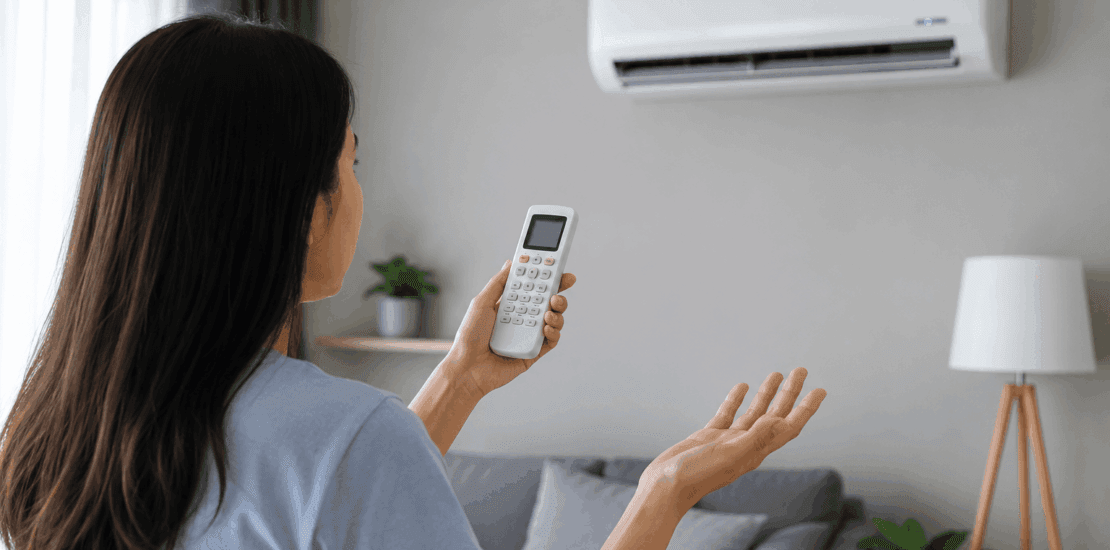
Fixing Air conditioner not responding to remote control
Air conditioner not responding to remote control
Quick version: Replace the batteries first — that alone fixes most cases, even if the display still lights up. If that doesn’t work, check for a lock icon on the display, make sure nothing is blocking the line of sight between the remote (or wall controller) and the unit’s receiver, and try a power cycle: turn the AC off, cut power for 5 minutes, then restart. Work through the full list below if none of that fixes it.
When an AC ignores its remote or wall controller, the problem is usually simple: weak batteries, a blocked signal, a locked control panel, or a unit that needs a reset. Before assuming the air conditioner itself is broken, work through the steps below. They’ll help you narrow down whether the issue is with the remote or controller, the indoor unit, the power supply, or the control board.
This guide applies to many common systems used in US homes, including ductless mini-splits, window air conditioners, portable AC units, and wall-mounted systems that use either a handheld remote or a fixed wall controller.
Quick Signs You’re Dealing With a Remote or Controller Problem
You may be experiencing this issue if:
- The AC works from the manual power button but not from the remote or controller.
- The display is blank, dim, frozen, or missing icons.
- The AC beeps sometimes, but not every time you press a button.
- Temperature, mode, fan speed, or swing settings do not change.
- The AC turns on but does not respond to other commands.
- The remote only works when you stand very close to the unit.
- You recently replaced batteries, had a power outage, or used a universal remote.
If you’re thinking, “my AC controller isn’t working” or “my AC remote isn’t working,” start with the easiest checks first. Many fixes take less than five minutes.
Before You Start: Basic Safety Tips
Most remote and controller troubleshooting is safe and simple. However, take care when checking the air conditioner itself.
- Do not open the AC cabinet unless the user manual specifically instructs you to do so.
- Turn off power before cleaning around sensors or panels.
- Never touch exposed wiring or circuit boards.
- If you smell burning, hear buzzing, see sparks, or notice water near electrical parts, stop and call a qualified HVAC technician.
- For window or portable units, unplug the system before cleaning accessible surfaces.
- For hardwired mini-splits, use the wall disconnect or breaker only if you know which circuit controls the unit.
Also Read: Why is there no power to my thermostat
Step 1: Make Sure the Remote Has a Clear Signal Path
Most handheld AC remotes use infrared signals. That means the remote must “see” the receiver on the indoor unit, similar to a TV remote. (Wired wall controllers don’t have this issue — if yours is a fixed panel mounted on the wall, skip to Step 4.)
Stand within a reasonable range of the air conditioner and point the remote directly at the front panel. Remove anything that could block the signal, such as:
- Curtains or blinds
- Furniture
- Wall décor
- Plants
- Dust buildup on the AC front panel
- Plastic protective film left on a new unit
- Direct sunlight hitting the receiver window
Press the power button once and listen for a beep. If the AC responds only when you are very close, the batteries may be weak, the sensor may be dirty, or the remote’s infrared transmitter may be failing.
Step 2: Replace the Batteries the Right Way
Weak or incorrectly installed batteries are the most common reason for an AC remote not working. Even if the display still lights up, the batteries may not have enough power to send a strong signal.
Follow these steps:
- Remove the battery cover.
- Take out both batteries.
- Check the battery compartment for corrosion, dust, or moisture.
- Insert fresh batteries, matching the positive and negative symbols.
- Use the same battery type recommended by the manufacturer.
- Replace the cover securely.
- Try turning the AC on again.
Avoid mixing old and new batteries, or different battery brands or types. If you see white, green, or crusty buildup in the battery compartment, clean it carefully with a dry cotton swab. If corrosion is severe, the remote may need to be replaced.
Step 3: Check Whether the Display Is Working
If the display isn’t working — on either a handheld remote or a wired wall controller — look closely at the screen. A blank or distorted display may point to battery, contact, or internal damage.
Try this:
- Remove the batteries (handheld remotes) or check the breaker (wired controllers).
- Press and hold the power button for about 10 to 15 seconds.
- Press several other buttons to discharge any remaining power.
- Wait one minute.
- Reinstall batteries or restore power.
- Check whether the display returns to normal.
If the display is still blank, gently rotate the batteries in place to make sure the terminals are making contact. If the screen flickers, the battery contacts may be loose or dirty.
If the screen shows icons but the AC does not respond, the remote or controller may be powered but not sending a signal. Continue with the next steps.
Step 4: Look for a Lock, Hold, or Child-Safety Setting
Some remotes and wall controllers include a lock feature that prevents accidental button presses. This can make it seem broken even though it’s functioning correctly.
Look for a lock icon on the display. Depending on the model, you may need to unlock it by pressing a button combination such as:
- Temperature up and temperature down together
- Mode and fan together
- Plus and minus together
- A dedicated lock button
- A recessed reset button
Because button combinations vary by brand, check the user manual if you see a lock symbol. If you do not have the manual, search the model number printed on the back of the remote, inside the battery compartment, or on the wall controller’s housing.
Step 5: Confirm the Correct Mode Is Set
Sometimes the AC is responding, but the settings make it seem like nothing is happening. For example, if it’s set to fan mode, the unit may circulate air without cooling. If it’s set to dry mode, the fan and compressor may cycle differently than expected.
Check the display for these settings:
- Cool mode: Usually shown by a snowflake icon. Use this for air conditioning.
- Heat mode: Used on heat pump models. Not all AC units have it.
- Fan mode: Moves air but may not cool.
- Dry mode: Removes humidity with different cycling behavior.
- Auto mode: Lets the unit decide how to operate based on room temperature.
- Timer mode: May delay startup or shutoff.
- Sleep mode: May adjust temperature gradually overnight.
Set it to cool mode, lower the temperature several degrees below the current room temperature, and increase the fan speed. Wait a few minutes. Some units have a built-in compressor delay, so cooling may not start immediately.
Step 6: Reset the Remote or Controller
A remote or controller can freeze after a battery change, power surge, or accidental button sequence. Resetting it may clear the problem.
For a handheld remote:
- Remove the batteries.
- Press and hold the power button for 15 seconds.
- Press every button once to release any stuck contacts.
- Wait two minutes.
- Reinstall fresh batteries.
- Set it to cool mode and test again.
Some remotes also have a small reset hole — use a paper clip to press it gently, don’t force it. For wired wall controllers, resetting usually means cutting power at the breaker for several minutes (covered in Step 10).
Step 7: Test the Remote’s Infrared Signal With a Phone Camera
If the remote’s display works but the AC still doesn’t respond, test whether it’s actually sending a signal. (This step applies to handheld infrared remotes only — wired wall controllers communicate differently and won’t show this way.)
- Open the camera app on your phone.
- Point the remote’s front tip toward the camera lens.
- Press the power button on the remote.
- Watch the phone screen for a flashing light from the remote tip.
If you see a flashing light, the remote is likely sending a signal. If not, try the front-facing camera or another phone — some phone cameras filter infrared light better than others. If no camera detects a flash after fresh batteries, the remote may be faulty.
Step 8: Clean the AC Receiver Window
The indoor unit has a small receiver that picks up the remote’s signal, usually sitting behind a dark plastic window or near the display panel.
Dust, grease, nicotine residue, pet hair, or cleaning-product film can reduce signal reception — especially common in kitchens, workshops, garages, and homes with pets.
To clean it:
- Turn the AC off.
- Use a soft, dry microfiber cloth on the front panel.
- Gently wipe the display and receiver area.
- Avoid spraying cleaner directly onto the unit.
- If needed, lightly dampen the cloth with water, then dry the surface immediately.
- Test the remote again.
Do not use harsh chemicals, abrasive pads, or dripping wet cloths near the control panel.
Step 9: Try the Manual Power Button on the Air Conditioner
Most window units, portable ACs, and ductless mini-split indoor units have a manual power or emergency operation button, often behind the front cover, near the filters, or on the side of the display panel.
Press the manual button once.
- If the AC turns on manually, it has power and the problem is likely the remote, controller, sensor, setting, or communication path.
- If it does not turn on manually, the issue may be power-related or internal to the unit.
- If it turns on manually but only runs in a default mode, that’s normal for some models.
For mini-splits, the emergency button may start the unit in auto mode rather than your preferred setting — a temporary workaround, not a complete fix.
Step 10: Power Cycle the Air Conditioner
If the control board is frozen, it may ignore remote or controller commands entirely. A power reset can help.
For a window or portable AC:
- Turn the unit off.
- Unplug it from the wall outlet.
- Wait at least five minutes.
- Plug it back in.
- Turn it on manually or with the remote.
For a ductless mini-split or wired wall controller:
- Turn the system off with the remote or controller if possible.
- Turn off power at the breaker or disconnect.
- Wait at least five minutes.
- Restore power and wait for the unit to reboot.
- Test again.
If your system has both a wall controller and a handheld remote, check whether one is overriding the other — some setups prioritize wall controls, schedules, or smart-home settings.
Step 11: Check the Breaker, Outlet, or Power Supply
If neither the remote nor the manual button works, confirm that the air conditioner has power.
For plug-in units:
- Make sure the plug is fully seated.
- Test the outlet with another device.
- Check the reset button on the plug, if present.
- Look for a tripped GFCI outlet nearby.
- Avoid using extension cords unless the manufacturer allows it.
For mini-splits or hardwired systems:
- Check the breaker panel for a tripped breaker.
- Look for an outdoor disconnect box near the condenser.
- Confirm other equipment on the same circuit is working.
If a breaker trips repeatedly, do not keep resetting it — that can indicate an electrical or mechanical fault that needs professional service.
Step 12: Reprogram a Universal AC Remote
If you use a universal remote, it may have lost its code after a battery change or reset. In that case, it may turn on but fail to control the correct functions.
- Find the brand code list that came with the remote.
- Locate the code for your AC brand.
- Follow the remote’s setup instructions.
- Test power, temperature, mode, and fan controls.
- If one code only works partially, try the next compatible code.
Universal remotes are convenient, but they may not support every feature — swing, sleep, turbo, eco, follow-me, and timer functions may work differently or not at all.
Step 13: Check for Stuck or Damaged Buttons
A stuck button can prevent other commands from working correctly. Look for buttons that feel jammed, soft, or uneven — especially power, temperature up/down, mode, fan speed, swing, timer, and sleep.
Press each button gently. If one doesn’t click or return to position, debris may be trapped around it. Remove the batteries and clean around the button edges with a dry cotton swab. Avoid taking the remote apart unless you’re comfortable with small electronics — many have plastic clips that break easily.
Step 14: Rule Out Temperature and Delay Confusion
Your AC may be receiving the command but waiting to start cooling. Many systems include protective time delays to prevent compressor damage.
Cooling may not begin right away if:
- The unit was just turned off and back on.
- The set temperature is close to the room temperature.
- The system is in auto mode.
- The compressor is in a short-cycle protection delay.
- The unit is defrosting or managing humidity.
Set the temperature at least five degrees lower than the room temperature and wait five to ten minutes. If the fan runs but the air doesn’t cool after that, you likely have a cooling issue rather than a remote or controller issue.
Step 15: Consider Smart Controls and App Conflicts
Some modern air conditioners can be controlled by an app, smart thermostat, Wi-Fi module, or voice assistant. If a schedule or automation is active, it may override what you enter on the handheld remote or wall controller.
Check for:
- App-based schedules
- Vacation or away mode
- Energy-saving mode
- Smart thermostat temperature limits
- Voice assistant routines
- Utility demand-response programs, if enrolled
- Multiple users changing settings from another device
Disable schedules temporarily and test the physical controls again. If they work after you turn off automations, the issue is a control conflict.
Also Read: How to reset thermostat
Step 16: Determine Whether the Remote/Controller or AC Sensor Is Faulty
At this point, you can usually narrow the issue down.
The remote or controller is likely the problem if:
- The display is blank after fresh batteries or a power reset.
- The phone camera test shows no infrared flash (handheld remotes).
- Buttons are stuck or damaged.
- It was dropped, wet, or corroded.
- A replacement remote or controller works with the AC.
The AC receiver or control board may be the problem if:
- The remote sends a signal, but the AC never responds.
- The manual button works, but no remote or controller works.
- The AC display panel is also malfunctioning.
- The unit beeps randomly or changes settings by itself.
- The problem started after a power surge or storm.
If possible, test with a compatible replacement remote or controller before scheduling a repair — it can save time and confirm the diagnosis.
When to Replace the Remote or Controller
Replacement is often the best option when it’s physically damaged or unreliable. Consider it if:
- The display stays blank with new batteries.
- The battery terminals are corroded.
- The infrared transmitter doesn’t flash in a camera test.
- Several buttons no longer work.
- It only works intermittently.
- The cost of repair is close to the cost of replacement.
Order a remote or controller that matches the model number of your air conditioner. If you choose a universal remote, make sure it supports your AC brand and the features you use most.
When to Call an HVAC Technician
Call a qualified technician if the troubleshooting above doesn’t solve the issue, or if:
- The unit has power but won’t turn on manually.
- The breaker trips repeatedly.
- The indoor unit display is dead or flickering.
- The AC responds inconsistently to multiple remotes.
- You suspect a failed receiver board or main control board.
- There are burning smells, unusual noises, or signs of electrical damage.
- Your ductless system has error codes on the indoor unit.
A technician can test the receiver, wiring, control board, and power supply safely.
How to Prevent Future Remote or Controller Problems
- Replace batteries before they leak.
- Remove batteries if the remote won’t be used for months.
- Keep the remote away from water, direct sunlight, and heat.
- Store it where it won’t be dropped or crushed.
- Clean the AC front panel regularly.
- Keep the remote pointed toward the unit when changing settings.
- Write down universal remote codes after programming.
- Keep the user manual or model number in an easy-to-find place.
Common Questions About AC Remotes and Controllers
Why is my AC controller display blank even with new batteries?
Check battery direction, battery contacts, and corrosion inside the compartment. Try resetting by removing the batteries and holding the power button. If the display is still blank afterward, the remote or controller may have internal damage.
Why does my AC beep but not change settings?
A beep usually means the unit received a signal, but the command may not be valid in the current mode. Check for lock mode, timer settings, auto mode, or temperature limits, and make sure you’re not pressing buttons too quickly.
Why does my AC remote only work sometimes?
Intermittent response is often caused by weak batteries, distance, poor aiming, sunlight hitting the receiver, dirty sensors, or loose battery contacts. If it’s been dropped, internal connections may also be damaged.
Can I use my phone as an AC remote?
Some phones and smart-home devices can control compatible air conditioners, but not all AC units support app control. If your unit has Wi-Fi features, use the manufacturer’s app instructions. If not, you may need a compatible smart IR controller or a replacement remote.
What should I do if my air conditioner isn’t responding to the remote or controller after a power outage?
Reset both the control device and the AC. Replace the batteries (if applicable), power cycle the air conditioner, and check the breaker. If it sends a signal but the unit still doesn’t respond, the receiver or control board may need service.
Final Troubleshooting Checklist
- Replace the remote batteries.
- Confirm the batteries are installed correctly.
- Check for a blank, dim, or frozen display.
- Make sure the remote or controller is unlocked.
- Set the unit to cool mode.
- Stand close and aim directly at the AC (handheld remotes).
- Clean the AC receiver window.
- Test the remote with a phone camera.
- Try the manual power button on the unit.
- Power cycle the AC.
- Reprogram the remote if it’s universal.
- Check for smart-home schedules or app conflicts.
- Test with a compatible replacement remote or controller if available.
- Call a technician if the unit still won’t respond.
In most cases, an AC remote or controller not working is a battery, setting, signal, or reset issue. If those fixes don’t work, the next most likely causes are a failed remote/controller, a bad receiver sensor, or an internal control problem that needs professional diagnosis.