
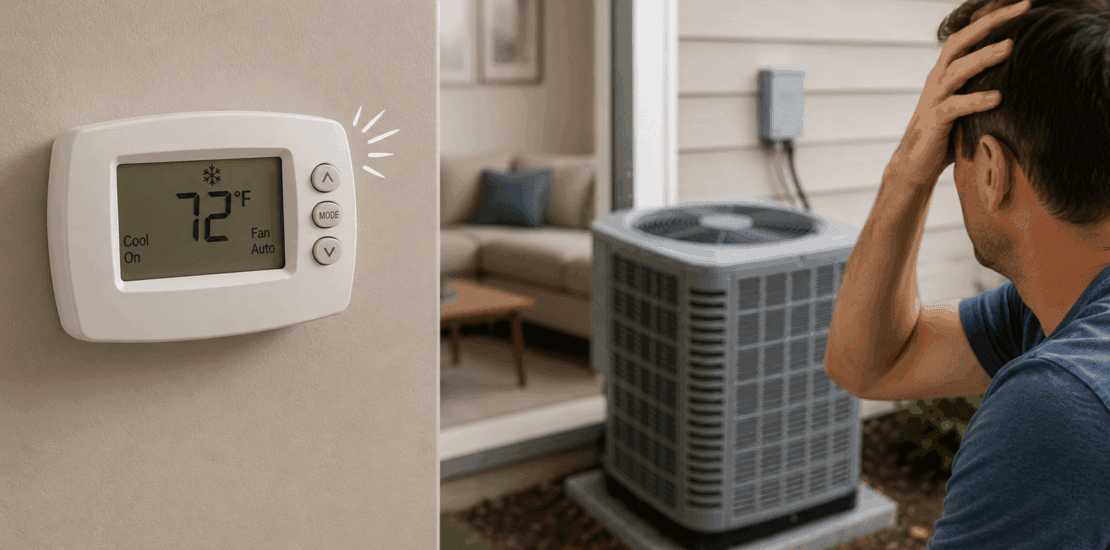
AC Not Turning On? Troubleshoot Thermostat Clicks
Thermostat clicks but ac does not turn on
A clicking thermostat can be frustrating, especially when your AC refuses to turn on. This issue is common among homeowners and renters alike. Understanding the root cause is crucial for effective troubleshooting.
Several factors can lead to this problem. It might be a simple fix or require professional help. Knowing what to look for can save time and money.
This guide will walk you through potential causes and solutions. You’ll learn how to identify and address common issues. From power problems to faulty wiring, we’ve got you covered.
Regular maintenance can prevent many AC issues. However, if you’re unsure, consulting a professional is always a wise choice. Let’s dive into the details and get your AC running smoothly again.
Blank Thermostat vs. Thermostat Not Calling for Cooling
It’s important to distinguish between a thermostat with no display at all and one that’s lit up but not triggering your AC. Each points to a different set of causes.
- Blank thermostat: If your thermostat screen is completely blank, you’re likely dealing with a power issue. This could mean dead batteries in a battery-powered unit, a tripped circuit breaker, a blown fuse, or even a wiring problem. In many cases, simply replacing the batteries brings the screen back to life. If it’s hardwired, you may need to inspect your breaker box or wiring connections.
- Thermostat won’t call for cooling: A thermostat that lights up but doesn’t activate your AC suggests a different problem. Here, the issue might be with the system’s settings—like incorrect mode selection, programmed schedules, or temperature setpoints. It could also stem from delays built into certain models, safety switches (like a tripped float switch for condensate overflow), or an AC component such as a failed capacitor or defective contactor outside.
Remember—a working display doesn’t always guarantee that your system’s control circuit is powered. Even if the thermostat is on, the air handler or outdoor unit might still be without proper voltage due to blown fuses or wiring faults. A quick check of these components can help narrow down the root problem and point you toward the right solution.
Why Does the Thermostat Click But the AC Won’t Turn On?
A clicking sound from your thermostat is often a symptom of miscommunication with your HVAC system. This issue usually indicates an electrical signal doesn’t reach the AC unit. It’s important to pinpoint the reason for this disconnection.
Several components could be at fault when your AC doesn’t respond. Identifying these elements is the first step in resolving the issue.
Consider the following potential causes:
- Incorrect thermostat settings or mode.
- Power problems, such as a tripped circuit breaker.
- Faulty connections or wiring issues.
- Malfunctioning thermostat hardware.
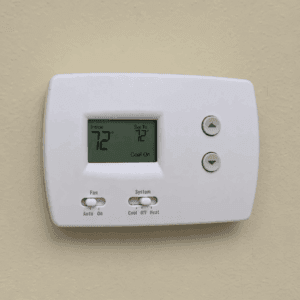
These factors highlight the primary reasons your AC might not operate. For instance, if the circuit breaker has tripped, your AC won’t turn on despite the thermostat click. Similarly, if the thermostat is not correctly set, the AC might not receive the needed commands.
Additional Checks to Help You Pinpoint the Problem
When the thermostat screen is lit but the AC won’t start, it’s worth taking a closer look at some easily overlooked details:
- Wrong mode or setpoint: Double-check that the thermostat is set to “Cool” and that your desired temperature is lower than the current room temperature.
- Schedule or hold settings: Sometimes, preset schedules or a “Hold” function might prevent immediate cooling.
- Dead or weak batteries: If your thermostat uses batteries, low power can disrupt its ability to communicate with the AC.
- Built-in compressor delay: Many modern thermostats include a short delay to protect your system. Wait a few minutes after changing settings to see if the AC starts.
- Condensate float switch: Some systems have a safety switch that shuts off your AC if the condensate drain is clogged.
- Blown low-voltage fuse: A small fuse inside your air handler or control board can stop the system from starting if blown.
Understanding these possibilities can guide you in addressing the root problem. Basic checks can often reveal the issue quickly. You might find a simple resolution that restores comfort to your home in minutes.
Also Read: How to reset thermostat?
What Does “Wait,” “Delay,” or “Waiting” Mean on Your Thermostat?
If your thermostat is stubbornly showing messages like “waiting,” “delay,” or “wait,” don’t panic—this is a built-in safety feature, not a sign of doom. Many modern HVAC systems, including brands like Honeywell, Ecobee, and Nest, use this function to protect the AC’s compressor from short cycling.
Why is this important? After a power outage, adjustment to the temperature, or system restart, your air conditioner’s compressor needs a few minutes to “catch its breath.” This pause—usually around 5 minutes—prevents the compressor from turning on and off too rapidly, which could cause serious damage over time.
Here’s what you can do:
- Give it time. Wait at least 5 minutes without changing the thermostat repeatedly.
- Resist the urge to adjust the temperature or settings until the delay expires.
If, after waiting, your system still doesn’t kick on, it may be time to investigate further or call a professional for help. This short delay is normal, but a system that never starts points to a deeper issue best handled by an expert.
Why Does My Thermostat Say “Wait” or “Delay”?
If you notice your thermostat displaying “wait” or “delay,” don’t panic—this is actually a built-in safety feature. Most modern thermostats, like those from Honeywell or Nest, use a compressor protection delay to prevent your AC’s compressor from starting and stopping too quickly, which can cause long-term damage.
Here’s how it works:
- Protection Against Short Cycling: After a power loss or when you change temperature settings, your thermostat may intentionally pause before turning the AC back on. This brief waiting period—usually around five minutes—protects the compressor by giving pressure levels in the system time to even out.
- What to Do: If you see a “wait” or “delay” message, simply give your system a few minutes. Avoid adjusting the thermostat repeatedly during this time, as making frequent changes can extend the delay.
If the system doesn’t start after five minutes or the warning stays on, there could be another underlying issue. In that case, it’s a good idea to contact an HVAC professional for further diagnosis.
Common Causes of the Problem
When a thermostat clicks but the AC does not turn on, various culprits might be to blame. Identifying the correct issue is crucial for an effective fix. Below, we explore some common causes:
First, examine the power supply. A tripped circuit breaker or a blown fuse can easily disrupt the AC’s operation. Without power, the AC unit cannot activate despite receiving signals from the thermostat.
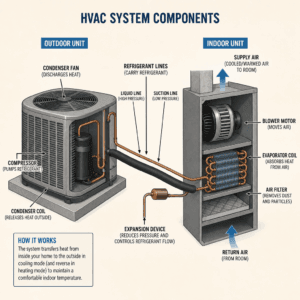
Next, consider the thermostat itself. It may be old or faulty, resulting in poor communication with the AC. Check the batteries too. Fresh, functional batteries ensure the thermostat performs as expected.
Wiring issues are another frequent cause. Loose, frayed, or damaged wires can prevent the necessary electrical signals from reaching the AC unit. This is especially likely if any recent home repairs interfered with the wiring.
Additionally, examine the AC’s components. A malfunctioning capacitor, contactor, or relay switch can stop it from starting up. These parts help power the compressor and fan motor, crucial for the AC to function.
Clogged air filters also hinder performance. A dirty air filter restricts airflow, causing the system to struggle. Regular maintenance of these filters is essential.
Finally, check the settings on the thermostat. A wrong mode or temperature might seem trivial, but it can prevent the AC from activating. Double-check that cooling is selected and the temperature is set below the current room temperature.
If you have a programmable or smart thermostat, go a step further. Sometimes, schedules, hold settings, eco or away modes, geofencing, or app controls can override your manual adjustments. Before assuming there’s a hardware issue, review any active programs or modes that might keep your AC from kicking on—even if you hear the click. Taking a moment to verify these settings can save you unnecessary troubleshooting down the road.
Can a Clogged AC Drain Line Prevent the AC from Turning On?
Absolutely—a clogged drain line can be the culprit behind your AC not responding, even after the thermostat clicks. Many modern air conditioning systems, especially in humid regions like Florida, employ a safety feature called a condensate float switch. This device monitors the condensate (water) drainage. When the line becomes blocked, the float switch activates to prevent water damage, cutting power to the AC.
Depending on how your system is wired, this safety switch might interrupt power to the thermostat itself or simply stop the AC unit from engaging, even though the thermostat appears to function normally. If you suspect a clogged drain line, it’s a good idea to check for water pooling near the indoor unit—or call a professional for a quick inspection.
By making sure the drain line stays clear, you can help avoid unexpected system shutdowns and keep your home comfortably cool.
Why Does My Thermostat Lose Power After a Short Run Time?
If your thermostat powers off after running for only a short period, there are a few potential reasons behind this frustrating issue. Typically, this points to an underlying problem within the HVAC system’s safety controls or electrical setup.
One common culprit is the condensate overflow safety switch (often called a float switch). When your AC’s drain line gets clogged with debris or algae, water backs up and triggers the float switch to cut power, protecting your system from water damage. Check around the air handler or indoor unit for signs of moisture or leaks—if you spot water, the drain line may need cleaning.
Another possibility is a low-voltage wiring problem or an electrical short. Over time, wear and tear can cause shorts that disrupt the control signals, leading your thermostat to repeatedly shut down. This can also happen if recent maintenance disturbed the wiring connections.
Sometimes, internal control board issues within the furnace or air handler can cause the thermostat to lose power intermittently.
If your thermostat consistently shuts off prematurely, especially if you notice water or persistent shutdowns, it’s best to schedule professional service. Prompt attention can prevent further damage and keep your system running reliably.
Compressor Protection Delay: What to Expect
If you’ve noticed your thermostat clicking but the AC doesn’t spring to life immediately—especially after a recent power outage or even a quick change in settings—don’t panic just yet. Many modern air conditioning systems have built-in safety features to protect the compressor from rapid cycling. This “compressor protection delay” is a normal precaution.
Here’s what happens: after power is restored or the thermostat mode is adjusted, the system may intentionally pause before allowing the AC to start. You might spot messages on your thermostat like “Wait” or “Delay” during this period. This pause helps prevent damage to the compressor, which is one of the most expensive components in your system.
A typical delay lasts anywhere from a few minutes up to five minutes. Simply give your system a moment—once the delay passes, your AC should kick in normally. If, after waiting, nothing happens, proceed with the troubleshooting steps below.
Step-by-Step Troubleshooting Guide
To resolve the issue when your thermostat clicks but the AC does not turn on, follow these step-by-step troubleshooting tips. These checks can help identify and fix the problem quickly.
First, ensure that the thermostat is set to the correct mode. Verify that it’s switched to “cool” and that the temperature is set below the current room temperature. Misconfigured settings can often be the simplest fix.
Second, inspect the power. Check if the circuit breaker for the AC unit has tripped. Reset it if necessary.
Next, examine the thermostat’s batteries:
- If the display is blank, replace the batteries.
- Use fresh, compatible batteries for optimal performance.
If your thermostat is still blank or not responding after replacing the batteries, additional issues could be at play. Check whether the thermostat is receiving power from the air handler—sometimes, a tripped breaker, blown fuse, or a triggered float switch (which shuts things down if it detects water where it shouldn’t be) can cut power to the thermostat. Inspect the circuit breaker panel and any accessible fuses related to your HVAC system. Also, look for any visible wiring issues, such as loose or disconnected wires.
Addressing these power and wiring problems can often bring your thermostat back to life and help restore AC function.
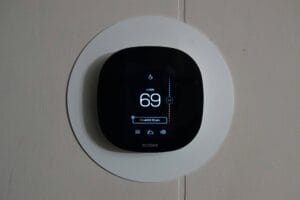
by Sean (https://unsplash.com/@paus_d_)
Proceed to inspect the wiring connections. Make sure all wires are secure and undamaged. Any loose or frayed wires need to be reconnected or replaced.
Now, check the AC system components. Look for any signs of damage on the capacitor or contactor. If you find faults, these components might need replacement.
Clean the air filters regularly to ensure proper airflow. A clogged filter can restrict air movement and hinder AC function.
Afterward, verify that the outdoor unit is unobstructed. Remove any debris and ensure plants or other objects aren’t blocking airflow.
Lastly, examine the thermostat’s location. It should not be in direct sunlight or near heat sources. Poor placement can affect its performance and lead to incorrect temperature readings. Make sure the thermostat is level for accurate operation.
Completing these troubleshooting steps can resolve the issue. However, if the problem persists, it may require a professional’s ac repair expertise.
What to Avoid When Your AC Won’t Turn On
While it’s natural to want a quick solution, certain actions can make matters worse or even risk your safety. If your AC isn’t turning on and the thermostat only clicks, keep these precautions in mind:
- Don’t flip the thermostat back and forth rapidly between modes in hopes of jump-starting the system. Many units have a built-in delay to protect the compressor, so wait at least five minutes after making any changes.
- Never force-reset the circuit breaker if it keeps tripping. Repeatedly resetting it may lead to electrical hazards or further damage.
- If you spot ice or frost on any part of the AC, turn the system off instead of restarting it. Let it thaw fully before troubleshooting further.
- Avoid removing panels—whether on the indoor air handler or outside condenser—or attempting to access control boards. Doing so could void warranties or cause harm.
- Never try to bypass safety switches or float switches designed to detect water problems. These are there to protect your home from leaks and damage.
- Steer clear of pulling off thermostat wires, jumpering terminals, or replacing control fuses yourself—especially without proper knowledge. This can damage expensive components like the control board or transformer.
If you notice burning smells, standing water near the air handler, a buzzing sound from the outdoor unit without the fan spinning, or repeated system shutdowns, power down the AC and avoid DIY fixes. These are signs that require attention from a qualified technician.
What If the Indoor Fan Runs but the Outdoor Unit Doesn’t?
If you notice that the indoor fan is running but your outdoor AC unit remains silent, this often points to an issue with the outside components. Several possible culprits may be at play:
- Loss of Power: The outdoor unit might not be receiving electricity due to a tripped breaker, blown fuse, or external disconnect switch being turned off.
- Failed Contactor or Capacitor: These electrical parts are essential for starting up the compressor and fan in the outdoor unit. If either fails, the unit won’t run.
- Control Board or Thermostat Malfunction: Problems with control circuitry, such as a faulty control board or low-voltage wiring, can prevent the outdoor system from receiving the signal to turn on.
- Condenser Unit Problems: Mechanical or electrical faults in the condenser, such as a seized motor or damaged wiring, may halt operation.
If your home isn’t cooling and the outdoor unit won’t start—despite the indoor fan running—it’s best to turn the system off to avoid further complications. For safety and to prevent damage, schedule professional HVAC service to identify and fix the underlying problem.
What to Do If the Outdoor Unit Buzzes But the Fan Doesn’t Spin
If you hear your outdoor AC unit buzzing but notice the fan isn’t spinning, don’t worry—this is a classic sign of a few specific problems.
First things first, for safety:
Turn off the power to your AC at the breaker box before investigating further. This ensures you aren’t at risk of electric shock while checking the system.
Common culprits in this situation include:
- Faulty Capacitor: The capacitor helps start the fan motor. If it fails, the motor won’t kick on, even though you might hear a buzzing sound.
- Stuck Fan Motor: Sometimes, the fan motor is seized or worn out, preventing the blades from turning.
- Defective Contactor or Compressor: Both are vital for initiating system operation, and issues here can cause the buzzing sound with no fan activity.
Safe checklist to follow:
- After turning off the power, take a look at the fan blades through the top grille.
- Gently try to spin the blades using a long stick (never your hands). If the blades start spinning freely, the capacitor could be the issue.
- If the blades are difficult to move, the motor might be at fault.
- Resist the temptation to keep trying—forcing a non-responsive unit can make things worse.
If you identify a faulty capacitor or suspect a motor issue, these repairs are best handled by a professional. Working with capacitors or motors involves high-voltage components, so DIY fixes can be dangerous.
When You Should Switch Off the AC System
Sometimes, waiting for your AC to spring into action isn’t the safest move. Shutting off the system can help you avoid more serious (and costly) damage—both to your equipment and your home.
Here are signs it’s best to turn off the AC right away:
- Frost or ice buildup: If you spot any ice forming on the coils, refrigerant lines, or outdoor unit, switch off the system. Continuing to run it could damage major components.
- Outdoor unit noises: When the outdoor condenser buzzes or hums and the fan isn’t spinning, keep the system off. This could indicate a seized motor or electrical problem.
- Breaker trouble: If the circuit breaker trips repeatedly—even after a reset—don’t keep flipping it back on. Repeated tripping signals a deeper electrical issue.
- Water warning signs: Pools of water near your air handler or a tripped condensate drain safety switch mean there could be a clog or leak. Turn the system off to prevent water damage.
- Unusual smells, smoke, or electrical sounds: Any burning odor, visible smoke, or sharp electrical buzzing calls for an immediate shutdown to prevent hazards.
- Frequent cycling: If the system keeps trying to start but won’t run normally, this rapid cycling can wear out components faster. Better to turn it off and investigate further.
Switching off your AC at these warning signs protects both your comfort and your wallet—acting quickly can keep small issues from becoming big repairs.
When to Call a Professional HVAC Technician
While troubleshooting can solve many issues, some problems require expert help. Knowing when to call a professional is key to avoiding further damage.
If DIY steps fail to resolve the problem, it’s best to consult an HVAC technician. They have the necessary tools and expertise for complex diagnostics.
It’s crucial to call a professional if you observe:
- Strange noises or smells from the AC unit
- Persistent error codes on digital thermostats
- Leaks or signs of water damage around the unit
In addition, issues like refrigerant leaks or electrical problems are hazardous. Trained professionals can safely and effectively repair these. Remember, regular maintenance by a professional also extends the lifespan of your HVAC system.
What a Technician Checks When Diagnosing the Issue
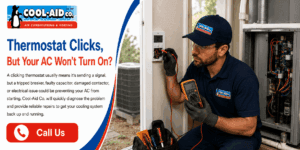
When a certified technician arrives to assess why your thermostat clicks but the AC won’t turn on, they follow a thorough, systematic process to pinpoint the cause. Here’s what you can expect during a professional inspection:
- Thermostat settings: They’ll verify the mode (cool, heat, off), temperature setpoint, programmed schedules, and any active holds or delays to ensure the thermostat is functioning as intended.
- Power supply: The technician will check both the thermostat’s batteries and the low-voltage power source to confirm consistent energy delivery.
- Control circuit: They’ll inspect the air handler and control voltage to ensure the system is properly receiving commands from the thermostat.
- Safety switches and drains: The condensate float switch and drain system are examined—if triggered, these can shut the AC down to prevent water damage.
- Fuses and wiring: All low-voltage fuses are tested, and the wiring is assessed for shorts, frays, or loose connections—common culprits for communication breakdowns.
- Equipment setup: Professionals confirm that the thermostat is wired and configured correctly for your specific HVAC system.
- Outdoor unit inspection: The contractor, capacitor, and condenser are checked for faults that could prevent the system from starting up.
- Obstructions and airflow: They’ll investigate whether clogged filters, frozen coils, or blocked drains might be suspending normal operation.
By methodically ruling out each possibility, the technician can distinguish between thermostat malfunctions and larger system or safety shutdowns, ensuring your AC is properly diagnosed the first time.
Preventing Future AC and Thermostat Issues
Regular maintenance is crucial for preventing HVAC issues. It helps keep your system running smoothly and effectively year-round.
Simple practices can make a big difference. Consider the following tips to maintain your AC and thermostat:
- Clean and replace air filters regularly
- Schedule annual professional inspections
- Ensure outdoor units are debris-free
- Update thermostat software and firmware
Proper placement of your thermostat also aids in its performance. Avoid placing it in direct sunlight or near drafts. This ensures accurate temperature readings. Regular check-ups and smart upkeep extend the life and efficiency of your system, saving time and repair costs in the long run.
Conclusion
A clicking thermostat that doesn’t activate your AC can be frustrating. Understanding common causes and troubleshooting steps helps resolve many issues without expert help. Regular maintenance plays a pivotal role in ensuring your HVAC system’s longevity and reliability.
When you’re uncertain, consulting a professional technician is wise. They can diagnose complex issues safely and effectively. Stay attentive to your system’s performance to prevent costly repairs and keep your home comfortable year-round.