
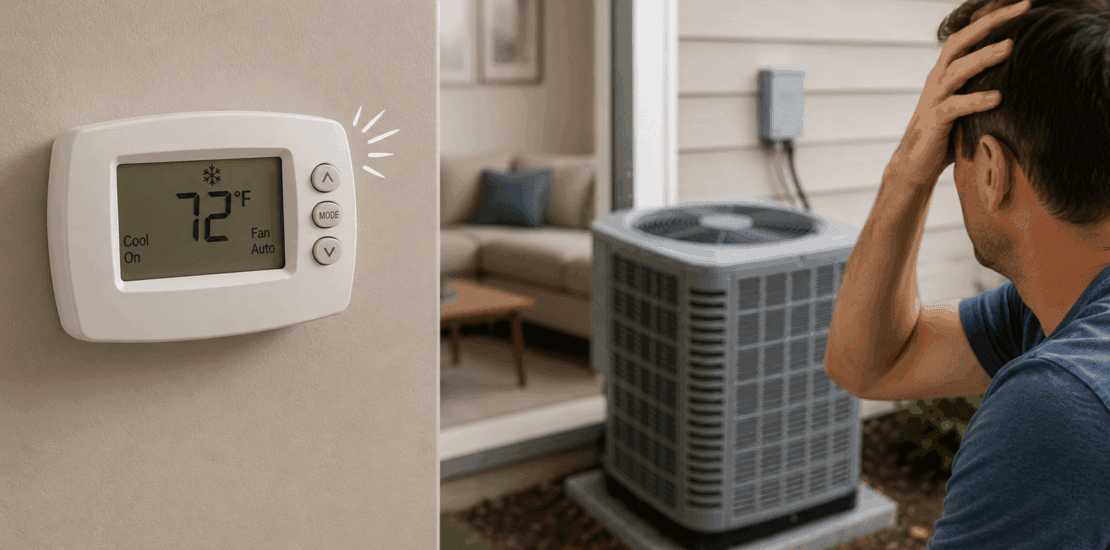
AC Not Turning On? Troubleshoot Thermostat Clicks
thermostat clicks but ac does not turn on
A clicking thermostat can be frustrating, especially when your AC refuses to turn on. This issue is common among homeowners and renters alike. Understanding the root cause is crucial for effective troubleshooting.
Several factors can lead to this problem. It might be a simple fix or require professional help. Knowing what to look for can save time and money.
This guide will walk you through potential causes and solutions. You’ll learn how to identify and address common issues. From power problems to faulty wiring, we’ve got you covered.
Regular maintenance can prevent many AC issues. However, if you’re unsure, consulting a professional is always a wise choice. Let’s dive into the details and get your AC running smoothly again.
Why Does the Thermostat Click But the AC Won’t Turn On?
A clicking sound from your thermostat is often a symptom of miscommunication with your HVAC system. This issue usually indicates an electrical signal doesn’t reach the AC unit. It’s important to pinpoint the reason for this disconnection.
Several components could be at fault when your AC doesn’t respond. Identifying these elements is the first step in resolving the issue.
Consider the following potential causes:
- Incorrect thermostat settings or mode.
- Power problems, such as a tripped circuit breaker.
- Faulty connections or wiring issues.
- Malfunctioning thermostat hardware.
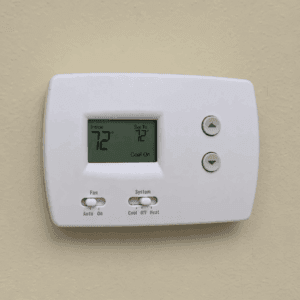
These factors highlight the primary reasons your AC might not operate. For instance, if the circuit breaker has tripped, your AC won’t turn on despite the thermostat click. Similarly, if the thermostat is not correctly set, the AC might not receive the needed commands.
Understanding these possibilities can guide you in addressing the root problem. Basic checks can often reveal the issue quickly. You might find a simple resolution that restores comfort to your home in minutes.
Also Read: How to reset thermostat?
Common Causes of the Problem
When a thermostat clicks but the AC does not turn on, various culprits might be to blame. Identifying the correct issue is crucial for an effective fix. Below, we explore some common causes:
First, examine the power supply. A tripped circuit breaker or a blown fuse can easily disrupt the AC’s operation. Without power, the AC unit cannot activate despite receiving signals from the thermostat.
Next, consider the thermostat itself. It may be old or faulty, resulting in poor communication with the AC. Check the batteries too. Fresh, functional batteries ensure the thermostat performs as expected.
Wiring issues are another frequent cause. Loose, frayed, or damaged wires can prevent the necessary electrical signals from reaching the AC unit. This is especially likely if any recent home repairs interfered with the wiring.
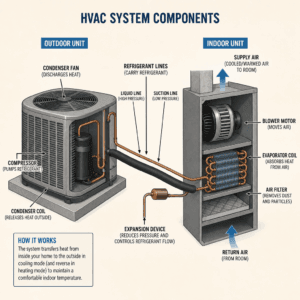
Additionally, examine the AC’s components. A malfunctioning capacitor, contactor, or relay switch can stop it from starting up. These parts help power the compressor and fan motor, crucial for the AC to function.
Clogged air filters also hinder performance. A dirty air filter restricts airflow, causing the system to struggle. Regular maintenance of these filters is essential.
Finally, check the settings on the thermostat. A wrong mode or temperature might seem trivial, but it can prevent the AC from activating. Double-check that cooling is selected and the temperature is set below the current room temperature.
Step-by-Step Troubleshooting Guide
To resolve the issue when your thermostat clicks but the AC does not turn on, follow these step-by-step troubleshooting tips. These checks can help identify and fix the problem quickly.
First, ensure that the thermostat is set to the correct mode. Verify that it’s switched to “cool” and that the temperature is set below the current room temperature. Misconfigured settings can often be the simplest fix.
Second, inspect the power. Check if the circuit breaker for the AC unit has tripped. Reset it if necessary.
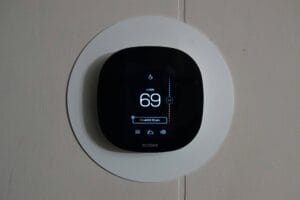
Next, examine the thermostat’s batteries:
- If the display is blank, replace the batteries.
- Use fresh, compatible batteries for optimal performance.
by Sean (https://unsplash.com/@paus_d_)
Proceed to inspect the wiring connections. Make sure all wires are secure and undamaged. Any loose or frayed wires need to be reconnected or replaced.
Now, check the AC system components. Look for any signs of damage on the capacitor or contactor. If you find faults, these components might need replacement.
Clean the air filters regularly to ensure proper airflow. A clogged filter can restrict air movement and hinder AC function.
Afterward, verify that the outdoor unit is unobstructed. Remove any debris and ensure plants or other objects aren’t blocking airflow.
Lastly, examine the thermostat’s location. It should not be in direct sunlight or near heat sources. Poor placement can affect its performance and lead to incorrect temperature readings. Make sure the thermostat is level for accurate operation.
Completing these troubleshooting steps can resolve the issue. However, if the problem persists, it may require a professional’s ac repair expertise.
When to Call a Professional HVAC Technician
While troubleshooting can solve many issues, some problems require expert help. Knowing when to call a professional is key to avoiding further damage.
If DIY steps fail to resolve the problem, it’s best to consult an HVAC technician. They have the necessary tools and expertise for complex diagnostics.
It’s crucial to call a professional if you observe:
- Strange noises or smells from the AC unit
- Persistent error codes on digital thermostats
- Leaks or signs of water damage around the unit
In addition, issues like refrigerant leaks or electrical problems are hazardous. Trained professionals can safely and effectively repair these. Remember, regular maintenance by a professional also extends the lifespan of your HVAC system.
Preventing Future AC and Thermostat Issues
Regular maintenance is crucial for preventing HVAC issues. It helps keep your system running smoothly and effectively year-round.
Simple practices can make a big difference. Consider the following tips to maintain your AC and thermostat:
- Clean and replace air filters regularly
- Schedule annual professional inspections
- Ensure outdoor units are debris-free
- Update thermostat software and firmware
Proper placement of your thermostat also aids in its performance. Avoid placing it in direct sunlight or near drafts. This ensures accurate temperature readings. Regular check-ups and smart upkeep extend the life and efficiency of your system, saving time and repair costs in the long run.
Conclusion
A clicking thermostat that doesn’t activate your AC can be frustrating. Understanding common causes and troubleshooting steps helps resolve many issues without expert help. Regular maintenance plays a pivotal role in ensuring your HVAC system’s longevity and reliability.
When you’re uncertain, consulting a professional technician is wise. They can diagnose complex issues safely and effectively. Stay attentive to your system’s performance to prevent costly repairs and keep your home comfortable year-round.