
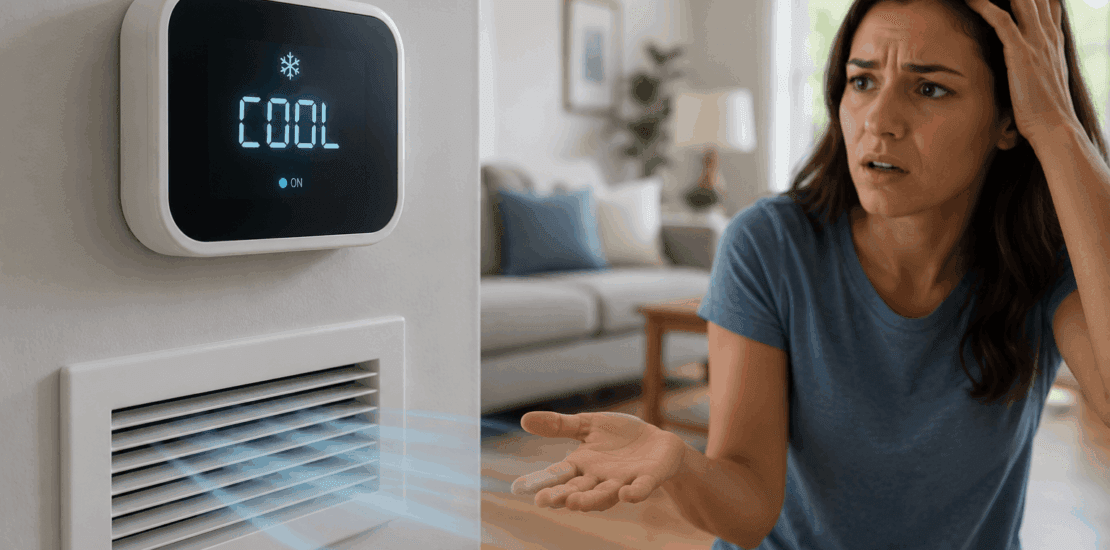
Thermostat Blinking “Cool On” but No Air: Fixes & Causes
Thermostat Blinking “Cool On” but No Air: Fixes & Causes
Quick Answer: What a Blinking “Cool On” Usually Means
If your thermostat is blinking “Cool On” but no air is coming from the vents, the system may be in a normal compressor protection delay, or there may be an issue preventing the air conditioner from starting. Common causes include a tripped breaker, clogged air filter, frozen evaporator coil, low refrigerant, thermostat batteries or wiring problems, a condensate overflow switch, or an outdoor unit that is not running.
Start with the simple checks first: confirm the thermostat settings, wait a few minutes, check the breaker, replace the filter, and look for ice or water around the system. If the outdoor unit will not turn on, the breaker keeps tripping, you see ice on the refrigerant lines, or the system runs but still does not cool, it is time to call an HVAC professional.
This guide walks you through what to check, in the right order, when you are dealing with a thermostat blinking cool on but no air.
Safety First: Read This Before Troubleshooting
Air conditioners use high-voltage electricity, moving parts, refrigerant, and drainage components. You can safely check thermostat settings, air filters, breakers, visible ice, and water around the indoor unit, but do not open sealed HVAC components or handle refrigerant lines beyond a visual inspection.
Before touching equipment panels or replacing a filter:
- Turn the thermostat to “Off.”
- Shut off power to the HVAC system at the breaker if you need to remove an access panel.
- Keep hands, tools, and loose clothing away from fan blades.
- Do not reset a breaker repeatedly if it trips again.
- Do not chip ice off coils or refrigerant lines.
- Do not attempt to add refrigerant yourself.
Call an HVAC pro immediately if you smell burning, hear buzzing from electrical parts, see sparks, notice melted wiring, find standing water near electrical equipment, or the breaker trips more than once.
Step 1: Make Sure the Thermostat Is Set Correctly
Start at the thermostat. Many air conditioning problems begin with a simple setting issue.
Check the following:
- The thermostat is set to “Cool,” not “Heat” or “Off.”
- The target temperature is at least 3 to 5°F below the current room temperature.
- The fan is set to “Auto” for normal cooling operation.
- The thermostat display is active and readable.
- Any hold, schedule, vacation, or eco mode is not overriding your setting.
If your thermostat has a touchscreen or smart app, confirm that the app and wall thermostat show the same mode and temperature. A thermostat may blink “Cool On” when it is calling for cooling, but that does not always mean the equipment has started yet.
Step 2: Wait for the Compressor Delay to Finish
One of the most common reasons for a blinking “Cool On” message is the built-in compressor delay. Many thermostats use a short delay to protect the compressor from short cycling after a power interruption, setting change, or recent cooling cycle.
What to do:
- Leave the thermostat set to “Cool.”
- Set the temperature several degrees below the room temperature.
- Wait 5 to 10 minutes without changing settings.
- Listen for the indoor blower and outdoor condenser to start.
If air starts blowing after a few minutes, the blinking message was likely normal. If the thermostat is still blinking cool no air after 10 minutes, continue with the next steps.
Step 3: Check Whether the Indoor Blower Is Running
Stand near a supply vent and feel for airflow. Then listen near the indoor unit, usually located in a basement, attic, closet, garage, or utility room.
You may notice one of three things:
- No air from the vents and no sound from the indoor unit.
- Weak airflow from the vents.
- Airflow from the vents, but the air is warm or room temperature.
No airflow may point to a blower motor issue, thermostat signal problem, tripped breaker, open furnace or air handler panel, or safety switch. Weak airflow often points to a clogged filter, blocked vents, duct restriction, or frozen evaporator coil. Warm airflow may mean the outdoor condenser is not running, the system is low on refrigerant, or the compressor is not operating.
Step 4: Check the Circuit Breakers
Your cooling system may have more than one breaker. The indoor air handler or furnace and the outdoor condenser may be on separate circuits.
Go to your electrical panel and look for breakers labeled:
- Air conditioner
- A/C
- Condenser
- Furnace
- Air handler
- HVAC
If a breaker is in the middle position or “Off,” turn it fully off first, then back on once. After resetting, return to the thermostat and wait several minutes.
Important: If the breaker trips again, do not keep resetting it. Repeated tripping can indicate an electrical fault, failing compressor, shorted motor, damaged wiring, or another serious issue. Turn the system off and call a licensed HVAC technician or electrician.
Step 5: Replace or Inspect the Air Filter
A clogged filter is one of the easiest problems to fix and one of the most common causes of poor airflow. When airflow is restricted, the evaporator coil can get too cold and freeze. Once the coil freezes, you may have little or no air coming from the vents even though the thermostat is calling for cooling.
To check the filter:
- Turn the system off at the thermostat.
- Locate the filter at the return grille, furnace, or air handler.
- Slide the filter out and inspect it.
- Replace it if it looks gray, dusty, matted, or clogged.
- Make sure the new filter faces the correct airflow direction.
Most homes use 1-inch filters that need replacement every 1 to 3 months, depending on pets, dust, usage, and filter type. Thicker media filters may last longer, but they still need regular inspection.
After replacing the filter, turn cooling back on and check airflow. If airflow is still weak or there is ice on the system, move to the next step.
Step 6: Look for a Frozen Evaporator Coil
A frozen evaporator coil can cause a thermostat blinking cool on but no air, weak air, or air that stops after the system runs for a while. Ice can form when airflow is restricted or when refrigerant levels are low.
Look for signs of freezing:
- Ice on the copper refrigerant line near the indoor unit.
- Frost or ice on the indoor coil cabinet.
- Water pooling near the air handler after the ice melts.
- Weak airflow from vents.
- The system runs but does not cool properly.
If you see ice, do this:
- Turn cooling off at the thermostat.
- Set the fan to “On” if the blower still works.
- Let the system thaw completely, which may take several hours.
- Replace the air filter if dirty.
- Make sure return and supply vents are open and unblocked.
Do not scrape or chip away ice. You can damage the coil or refrigerant lines. If the coil freezes again after thawing and replacing the filter, call an HVAC professional. Low refrigerant, a metering device problem, dirty coil, or blower issue may be involved.
Step 7: Check the Condensate Overflow Switch
Many central air conditioners have a condensate safety switch that shuts the system down if the drain line backs up. This helps prevent water damage. In some homes, the thermostat may still blink “Cool On,” but the air conditioner will not run because the overflow switch has opened the circuit.
Check near the indoor unit for:
- A full drain pan.
- Water around the air handler or furnace.
- A clogged condensate drain line.
- A float switch installed on the drain line or secondary pan.
If you see standing water, turn the system off. You may be able to carefully remove water from the pan with towels or a wet-dry vacuum, but do not bypass the safety switch. A clogged condensate drain should be cleared properly so the system can operate safely.
Call a pro if water returns, the drain line is difficult to access, or the unit is installed in an attic where overflow could damage ceilings and insulation.
Step 8: Check Whether the Outdoor Unit Is Running
When the thermostat calls for cooling, the outdoor condenser should usually run along with the indoor blower. Go outside and check the outdoor unit.
Look and listen for:
- The fan spinning on top of the unit.
- A steady humming or operating sound.
- Warm air blowing upward from the outdoor fan.
- Ice on the refrigerant line.
- Debris blocking airflow around the unit.
If the indoor fan is running but the outdoor unit is silent, possible causes include a tripped breaker, blown fuse in the disconnect box, bad contactor, failed capacitor, wiring issue, thermostat problem, or compressor failure.
You can safely clear leaves, grass clippings, and debris from around the outside of the unit. Keep at least 2 feet of open space around the condenser when possible. Do not open the electrical compartment or touch the capacitor. Even when power is off, capacitors can hold a dangerous charge.
Step 9: Check Thermostat Batteries and Basic Wiring Clues
Some thermostats use batteries, while others are powered by the HVAC system. Weak batteries can cause strange behavior, including blinking messages, blank screens, or failure to send a reliable cooling signal.
Try this:
- Replace the thermostat batteries if your model uses them.
- Make sure the thermostat faceplate is fully seated on the wall plate.
- Check that the display is not dim, flickering, or resetting.
- Confirm the thermostat is level and securely mounted if it is an older mechanical model.
If you recently replaced the thermostat, painted around it, bumped it, or had HVAC work done, wiring may be part of the problem. Loose, miswired, or broken low-voltage wires can prevent the system from starting.
Do not randomly move thermostat wires. If wiring is suspected, take a photo of the current wiring and call a professional for diagnosis.
Step 10: Consider Low Refrigerant or a Mechanical Failure
If you have checked the thermostat, breaker, filter, coil, drain switch, and outdoor unit and still have no cooling, the issue may require professional tools and training.
Low refrigerant is a common reason an air conditioner runs poorly, freezes up, or blows warm air. However, refrigerant does not get “used up” like fuel. If the system is low, there is usually a leak that needs to be found and repaired.
Other professional-level causes include:
- Failed capacitor.
- Bad contactor.
- Faulty blower motor.
- Failed condenser fan motor.
- Compressor problem.
- Dirty evaporator or condenser coil.
- Faulty control board.
- Damaged low-voltage wiring.
- Refrigerant leak.
These problems can look similar from the thermostat. That is why “why is my thermostat blinking cool on but no air” often has more than one possible answer.
What to Check in Order
If you want the fastest path, follow this sequence:
- Confirm the thermostat is set to Cool and the temperature is set below room temperature.
- Wait 5 to 10 minutes for the compressor delay.
- Check for airflow at the vents.
- Inspect and replace the air filter if dirty.
- Check the breaker once.
- Look for ice on the indoor unit or refrigerant line.
- Check for water in the drain pan or a tripped condensate float switch.
- Go outside and see whether the condenser is running.
- Replace thermostat batteries if applicable.
- Call an HVAC pro if the system still does not start or cool.
This order helps you rule out simple issues before moving into problems that require service.
When to Call an HVAC Professional
Call a licensed HVAC technician if:
- The breaker trips more than once.
- The outdoor unit does not run after basic checks.
- The indoor blower will not start.
- Ice returns after thawing the system.
- You suspect low refrigerant.
- You see water around the indoor unit that keeps coming back.
- The thermostat display works, but the system never responds.
- You hear buzzing, grinding, rattling, or clicking from equipment.
- The system blows warm air for more than a few minutes in cooling mode.
- You smell burning or see damaged wiring.
A professional can test voltage, capacitors, contactors, motors, refrigerant pressures, airflow, thermostat signals, and safety switches. That is the safest way to diagnose deeper air conditioning problems without causing equipment damage.

How to Prevent This Problem in the Future
Preventive maintenance can reduce the chances of seeing a blinking cooling message with no air or no cooling.
Helpful habits include:
- Replace or clean filters on a regular schedule.
- Keep return and supply vents open and unobstructed.
- Keep the outdoor condenser clear of leaves, mulch, grass, and shrubs.
- Flush or maintain the condensate drain as recommended for your system.
- Replace thermostat batteries before they are fully drained.
- Schedule seasonal AC maintenance before peak summer heat.
- Pay attention to weak airflow, longer run times, or new noises before the system fails.
Small issues like a dirty filter or blocked condenser can become bigger problems if the system keeps running under stress.
FAQ
Why is my thermostat blinking “Cool On” but no air is coming out?
The thermostat may be in a normal compressor delay, or the cooling system may not be starting due to a breaker, clogged filter, frozen coil, condensate overflow switch, thermostat issue, or outdoor unit problem. Wait 5 to 10 minutes first, then begin basic troubleshooting.
Is a blinking “Cool On” message always bad?
No. A blinking “Cool On” message is often normal during a compressor protection delay. If the system starts after a few minutes and cools normally, there may be no problem. If the blinking continues and you have no airflow or no cooling, something needs attention.
Why is the thermostat blinking cool no air after I changed the temperature?
Many thermostats delay cooling after a temperature change to protect the compressor. If nothing happens after 10 minutes, check the thermostat settings, filter, breaker, drain pan, and outdoor unit.
Can a dirty air filter cause no air from the vents?
Yes. A severely clogged filter can restrict airflow enough to cause weak airflow, coil freezing, and eventually little or no air from the vents. Replace the filter and check for ice before restarting cooling.
What should I do if the AC coil is frozen?
Turn cooling off and let the coil thaw completely. You can set the fan to “On” if the blower still works. Replace the dirty filter and make sure vents are open. If the coil freezes again, call an HVAC pro.
Why is my outdoor AC unit not turning on?
Possible causes include a tripped breaker, blown disconnect fuse, failed capacitor, bad contactor, faulty condenser fan motor, compressor issue, thermostat wiring problem, or a safety switch. You can check the breaker once, but electrical diagnosis should be handled by a professional.
Can low refrigerant cause the thermostat to blink “Cool On”?
Low refrigerant may not directly cause the thermostat message, but it can prevent proper cooling and cause the evaporator coil to freeze. If refrigerant is low, there is likely a leak that needs professional repair.
Should I turn the AC off if the thermostat is blinking?
If it has only been a few minutes, wait for the delay to finish. If there is no air, ice on the system, water around the unit, strange noises, burning smells, or repeated breaker trips, turn the system off and call for service.
How long should “Cool On” blink before the AC starts?
A typical delay is about 5 minutes, though some systems may take slightly longer. If the message continues beyond 10 minutes and the system does not start, begin troubleshooting.
Who should I call for this issue?
Call a licensed HVAC technician if the basic checks do not restore normal cooling. If you suspect damaged wiring, electrical burning, or a breaker issue outside the HVAC equipment, an electrician may also be needed.