
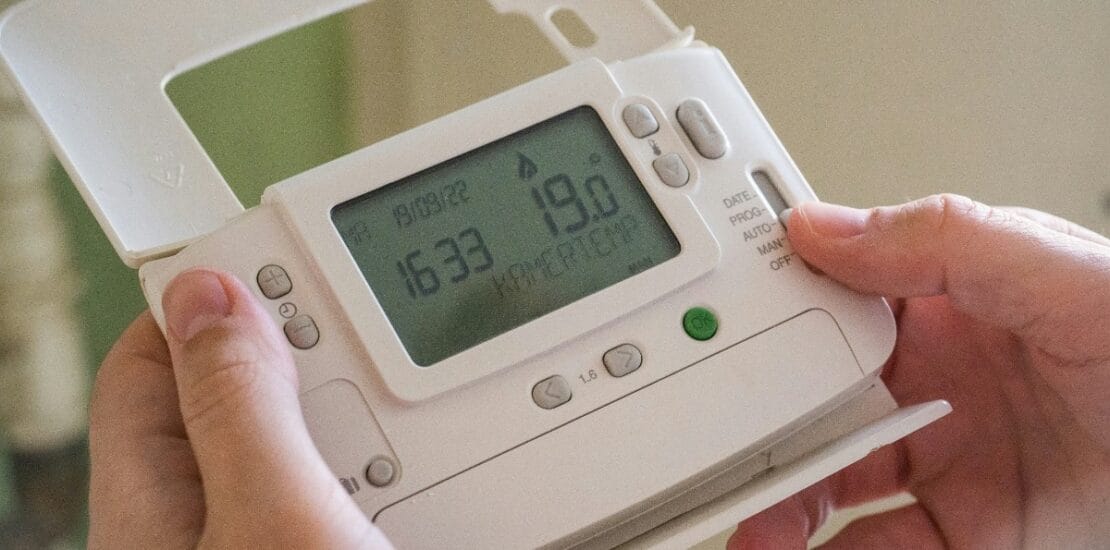
How to Effectively Reset Your Thermostat?
How to Effectively Reset Your Thermostat
Resetting your thermostat can solve many common issues. It can fix incorrect temperature readings or unresponsive controls.
Different brands and models have unique reset procedures. Knowing how to reset your thermostat is essential for maintaining comfort and efficiency.
This guide will walk you through the process. You’ll learn how to reset popular brands like Honeywell, Daikin, and Nest.
We’ll also cover digital and smart thermostats. Whether you’re a homeowner or renter, this guide is for you.
By the end, you’ll be equipped to handle thermostat issues confidently. Let’s get started on resetting your thermostat effectively.
Why Resetting Your Thermostat Matters
Resetting your thermostat is often a quick, cost-effective solution. It can help resolve common issues and improve energy efficiency.
When a thermostat malfunctions, it may fail to maintain the desired temperature. This impacts comfort and increases energy bills. A reset can address these problems.
Here are key reasons why resetting is important:
- Resolves incorrect temperature readings.
- Helps with connectivity issues.
- Enhances thermostat response to HVAC controls.
Regular resets can also prolong your thermostat’s lifespan. This reduces the need for more extensive repairs or replacements. In many cases, a simple reset is all it takes to restore optimal performance.
General Steps: How to Reset a Thermostat
Resetting a thermostat varies by brand, but there are general steps that often apply. It’s important to follow these steps carefully to prevent further issues.
Before you begin, ensure the thermostat is turned off. This helps avoid electrical issues and ensures a safe reset process.
Here’s a typical process to follow:
- Turn off power to the thermostat.
- Remove the cover carefully.
- Check for a reset button or follow the user manual’s instructions.
- Hold down any designated reset buttons for a few seconds.
- Reassemble and power on the thermostat, then reprogram your settings.

After completion, monitor the thermostat to ensure it operates correctly. If problems persist, you may need to consult the user manual or seek professional help of hvac company.
How to Reset Popular Thermostat Brands
Resetting specific thermostat brands might seem daunting, yet it is often straightforward. Each major brand has unique procedures. Below, we provide tailored instructions for some popular models.
How to Reset Honeywell Thermostat (Including Pro Series & 3-Button Models)
Honeywell thermostats have different reset methods depending on the model. Understanding these steps can aid effective resetting.
For Pro Series, press and hold the menu button. Keep pressing until the reset option appears. Choose the desired reset type and confirm your selection.
For three-button models, follow this procedure:
- Press and hold Menu.
- Press ‘Right’ until the reset option appears.
- Press ‘Select’ to confirm.

After resetting, reprogram your Honeywell thermostat. This ensures it operates according to your preferences and improves energy efficiency.
How to Reset Daikin Thermostat
Daikin thermostats often require a distinct method. Resetting could involve a power cycle or button combination.
To reset, try the following steps:
- Turn off the thermostat.
- Wait a few moments and turn it back on.
For specific models, refer to the user manual for detailed button combinations. This can ensure a precise reset process.
How to Reset Nest Thermostat (Factory Reset & Soft Reset)
Nest thermostats offer both factory and soft reset options. Each type serves different purposes.
To perform a factory reset, which erases all settings:
- Go to the Settings menu.
- Select ‘Reset.’
- Confirm the factory reset option.
For a soft reset, which retains settings:
- Just restart the device from the menu.

by Valentin Zickner (https://unsplash.com/@vzickner)
After reset, reconfigure your settings for optimal performance.
How to Reset Trane Thermostat
Trane thermostats often involve a simple reset process. Follow these steps for success:
- Switch off the power to the thermostat.
- Remove and reinstall the batteries.
Alternatively, find and press the reset button if available. This process resolves many simple issues efficiently.
How to Reset Dometic Thermostat
Dometic thermostats demand a specific approach. Knowing your model helps in executing the correct reset.
Here’s a general guide for Dometic models:
- Press and hold specific buttons as per manual instructions.
If needed, consult the manual for particular button combinations. This ensures a successful reset.
How to Reset a Digital or Smart Thermostat
Digital and smart thermostats come with unique reset functions. They often offer app-based solutions.
For a general reset, consider these steps:
- Check for a reset button.
- If available, press it gently.
- Follow app instructions for smart devices to initiate a reset process.
Consult your user manual or app guide for precise steps. This ensures device compatibility and successful troubleshooting.
How to Calibrate a Thermostat After Resetting
Calibration ensures your thermostat reads temperatures accurately, essential after a reset. It’s a simple yet important process to align its settings with real room conditions.
To calibrate your thermostat, follow these general steps:
- Check the current room temperature with a precise thermometer.
- Adjust the thermostat setting accordingly.
- Follow user manual instructions for specific calibration methods.
Accurate calibration improves comfort and energy efficiency. Always recheck after a few hours to ensure correct readings.
Troubleshooting: What to Do If Resetting Doesn’t Work
If resetting your thermostat does not solve the issue, there are still steps to take. It’s crucial to identify whether the problem is mechanical or digital in nature.
Consider these troubleshooting tips:
- Check all connections and wiring for defects.
- Ensure the thermostat has working batteries.
- Verify that the HVAC system is functional.
Persistent problems may indicate a deeper issue, requiring expert help. Always consult your thermostat’s manual for guidance tailored to your model.
Tips for Maintaining Your Thermostat
Regular maintenance can extend your thermostat’s life and efficiency. Simple routines ensure it functions properly.
Consider these maintenance tips:
- Clean the thermostat regularly to prevent dust build-up.
- Schedule firmware updates if applicable.
- Recalibrate frequently for accurate temperature readings.
When to Call a Professional
If resets fail, or the thermostat shows no improvement, consulting an HVAC expert is advised. They offer specialized solutions.
Conclusion
Resetting your thermostat can resolve many issues and improve efficiency. Understanding how to reset different models empowers you as a homeowner. Remember, if problems persist, professional help is just a phone call away. It’s the smart choice for peace of mind.